“The file is damaged and could not be repaired.” That error message manages to be both alarming and unhelpful at the same time. The PDF opened yesterday. The download finished — you’re almost sure. And now the most important document of the week refuses to open at all.
Before resigning yourself to asking for a fresh copy, try recovery. PDF damage is usually messier than fatal — a broken index rather than destroyed content — and a repair tool can often rebuild a readable file. This guide covers what actually breaks PDFs, what repair can and cannot recover (honestly), and the prevention habits that make the whole problem rare.
How to Repair a PDF Online Free (3 Steps)
- Add the damaged file. Drop it into the Repair PDF tool. The analysis runs in your browser — the broken file never gets uploaded, which matters because you often can’t re-request a damaged document.
- Let it rebuild. The tool reads what’s structurally intact, reconstructs the file’s internal index, and recovers the pages it can.
- Download and check. Open the repaired copy and flip through every page — repair usually restores most or all content, but verify rather than assume, especially the last pages.
Why PDFs Get Corrupted
PDFs corrupt at the transfer and the save, more than anywhere else. The usual suspects:
- Interrupted downloads and transfers — the file arrives short, and a PDF missing its tail (where the index lives) won’t open at all. This is the single most common cause.
- Email and chat mangling — some mail systems re-encode attachments, and a file renamed to .pdf that was never one won’t be fixed by any tool.
- Crashes during save — force-quitting an app or a laptop dying mid-write leaves the file half-updated.
- Storage and sync errors — failing drives and cloud-sync conflicts both produce truncated files.
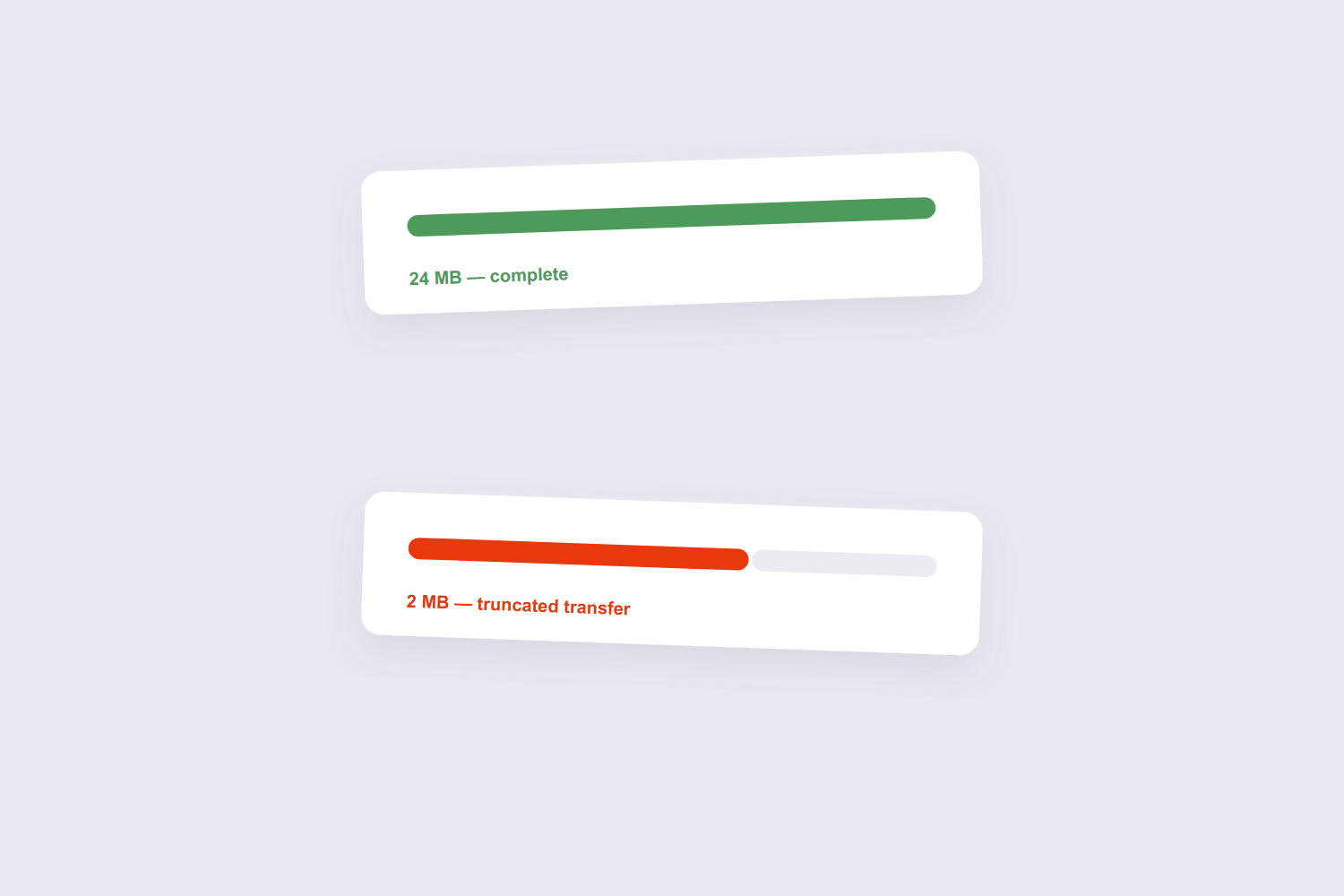
The diagnostic tell: check the file size against the original if you can. A 2 MB copy of a 24 MB document is a truncated transfer — and knowing that changes your expectations for repair. DOCX stores content as XML inside a ZIP container, which is why the same document can be read by Word, LibreOffice and Google Docs. PDF stores fixed-position drawing instructions, which is why it looks identical everywhere but is far harder to edit back.
What Repair Can and Can’t Recover
Honest expectations, because this is where hope does damage. Repair works best when the index broke but the content survived — the common case for interrupted transfers, where most pages can be rebuilt and the file opens normally again. It works worse when content itself is missing: a file that lost half its bytes cannot conjure the missing half, and the recovered version will simply end early or skip pages.
What repair can’t do at all: open a file that was never really a PDF (a renamed image or a zero-byte placeholder), or undo encryption you don’t have the password for. And a note on encrypted files — if the damaged PDF was password-protected, fix the corruption first and open it with the password after; the two problems stack awkwardly. Rotation is stored as a per-page counter with three valid values — 90, 180 and 270 degrees clockwise. There is no arbitrary angle, because the entry is a quarter-turn number, not a transform matrix.
Other Repair Routes Worth Knowing
If the browser repair doesn’t fully recover the file, there are three more doors to try, in rising order of effort. LibreOffice — free — opens some damaged PDFs and lets you re-save the content; a Windows 11 community thread recommends exactly this route. Adobe Acrobat Pro users have the built-in Preflight tool for diagnosis and repair — the top suggestion in r/sysadmin’s repair thread — but that’s a paid product. And dedicated recovery software like Recovery Toolbox for PDF handles severe cases, usually paid per recovery.
Practical order: browser repair first (fast, free, private), LibreOffice second (free, sometimes rescues what repair tools miss), paid tools last. And when the document matters enough, email the sender for a fresh copy in parallel — the original source beats every recovery method. A PDF page’s dimensions are stored in points, and there are 72 points to an inch. So A4 is 595 × 842 points, US Letter is 612 × 792, and the two differ by about 6 mm in width and 18 mm in height — which is exactly why a Letter layout shifts on A4 paper.

Frequently Asked Questions
Can a corrupted PDF be repaired for free?
Often, yes. Browser-based repair tools handle the common cases — broken structure from interrupted transfers — at no cost. LibreOffice re-saving covers some others for free. Paid tools exist for the residue.
Why does my PDF say “damaged and could not be repaired”?
The viewer tried its built-in fix and failed, which usually means the file is substantially truncated — the internal index and content are both incomplete. Most of a PDF’s weight is images, not text. A page of pure text is typically 5–20 KB; the same page with a 300 DPI scanned photograph can pass 1 MB, so compression gains come almost entirely from re-encoding images. A dedicated repair tool reads more aggressively, but a badly short file will keep some losses.
Does repairing a PDF reduce its quality?
No — recovered pages come back as they were. Repair rebuilds structure around intact content; it doesn’t re-encode anything. What you recover is what was still in the file.
How do I stop PDFs from getting corrupted?
Let downloads finish before opening them, don’t force-quit apps mid-save, and prefer fresh downloads over re-sending attachments back and forth — each transfer is another chance to truncate. Cloud storage with version history is the safety net that makes the whole problem minor.
Is it safe to upload a corrupted PDF to an online repair tool?
With a browser-based tool there’s nothing to worry about — the file never leaves your device. Server-based tools upload the damaged file first; for confidential documents, prefer local processing.
The repaired PDF is missing pages — can I get them back?
Only if the data still exists somewhere — try the sender’s original, your email attachments folder, or a cloud version history. Repair can’t rebuild bytes that never arrived.
Repair, verify page by page, and keep a backup habit going forward. If the recovered file now needs cleanup — pages to remove or reorder — the delete pages guide picks up from there.
