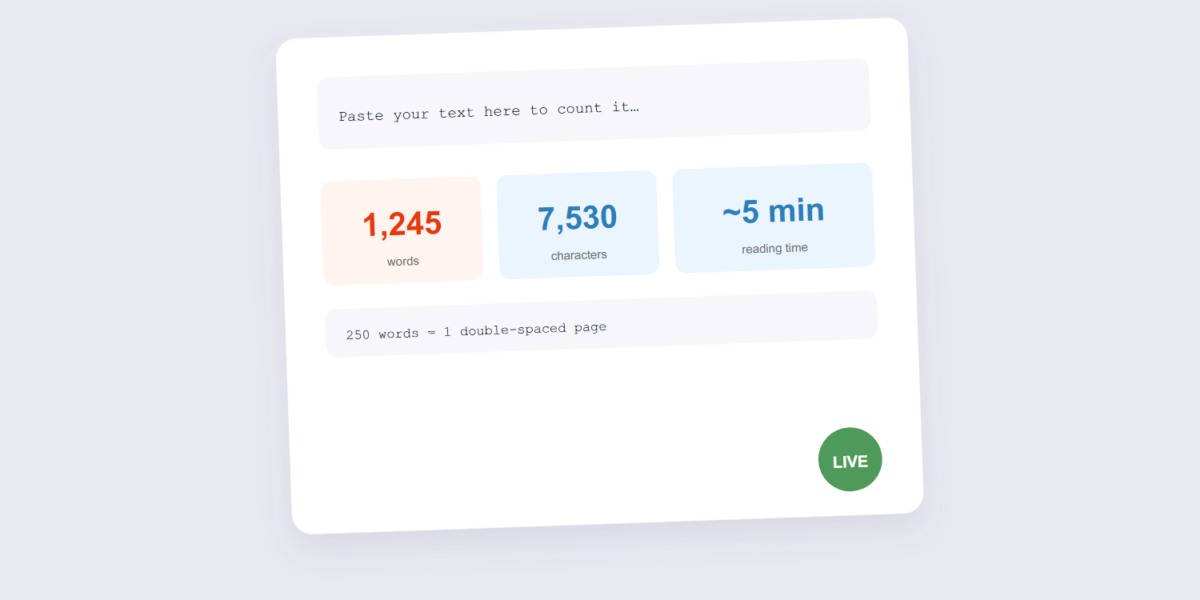
Word counts decide things: essay limits, abstract caps, social media truncation, translation quotes. And every platform counts slightly differently — hyphenated words, URLs, and numbers all have opinions. A live counter in your browser gives instant answers without pasting confidential text into someone’s database.
This guide covers counting with our Word Counter, the reference numbers worth memorizing (250 words per double-spaced page being the classic), and the platform limits that come up most.
How to Count Words Online Free (2 Steps)
- Paste your text. Paste it into the Word Counter — it counts as you type or paste, entirely in your browser.
- Read the numbers. Words, characters (with and without spaces), sentences and estimated reading time, live.
Reference Numbers Worth Knowing
| Context | Limit / convention | Note |
|---|---|---|
| Double-spaced page | ~250 words | The classic essay/manuscript convention |
| Academic abstracts | 150–250 words | Journal-specific — always check |
| Reading time | ~200–250 words/minute | Silent reading, average adult |
| Tweet/X | 280 characters | Characters, not words (higher for paid accounts) |
| Meta description (SEO) | ~150–160 characters | Google truncates longer snippets |
| LinkedIn post (before “see more”) | ~140 characters | Front-load the hook |
| Instagram caption | 2,200 characters max | First ~125 characters show before “more” |
Who Actually Needs a Word Counter
- Students and academics hitting exact essay or abstract limits, where going over (or suspiciously under) costs marks.
- Writers and editors tracking manuscript length against a publisher’s or agent’s word-count expectations for a genre.
- Marketers and social media managers fitting copy inside a platform’s display limit before it gets truncated or hidden behind “see more.”
- Translators quoting a job by source word count before starting the work.
- SEO writers keeping meta titles and descriptions inside the length Google actually displays in search results.
Frequently Asked Questions
Does the counter store my text?
No — the counting happens in your browser with JavaScript. Private drafts, unpublished chapters, and legal text never leave your device.
Do hyphenated words count as one word?
Usually yes — “well-known” counts as one word in most counters and conventions. If your institution counts differently, that’s their rule to override the tool’s.
How is reading time calculated?
Word count divided by average silent reading speed (~200–250 words per minute). It’s an estimate, not a stopwatch — but it’s the number publish platforms display.
Does it count numbers and URLs as words?
Most counters treat any space-separated sequence of characters as a word, so a number or a URL typically counts as one word each — the same way a human skimming the text would count them.
Can I count words on my phone?
Yes — the tool runs in your browser, so it works the same on a phone or tablet as it does on desktop.
Paste, count, adjust. If your text is inside a PDF, extract it first with the PDF to Text tool — then count.
